buerligons.io · the app
Buerligons is a parametric, history-based CAD modeler that runs entirely in your browser: the ClassCAD engine, compiled to WebAssembly, working in this very tab. Nothing to install, no server doing the modeling.
sprocket
Origin · axes · planes
Revolve blank
Cut 13 tooth spaces
Cut bore Ø 5/8″
Cut keyway 3/16″
Cut set screw 1/4″
Cut tip tapers × 4
Cut bore chamfers
Drag the red bar: the part rolls back
01Sketch
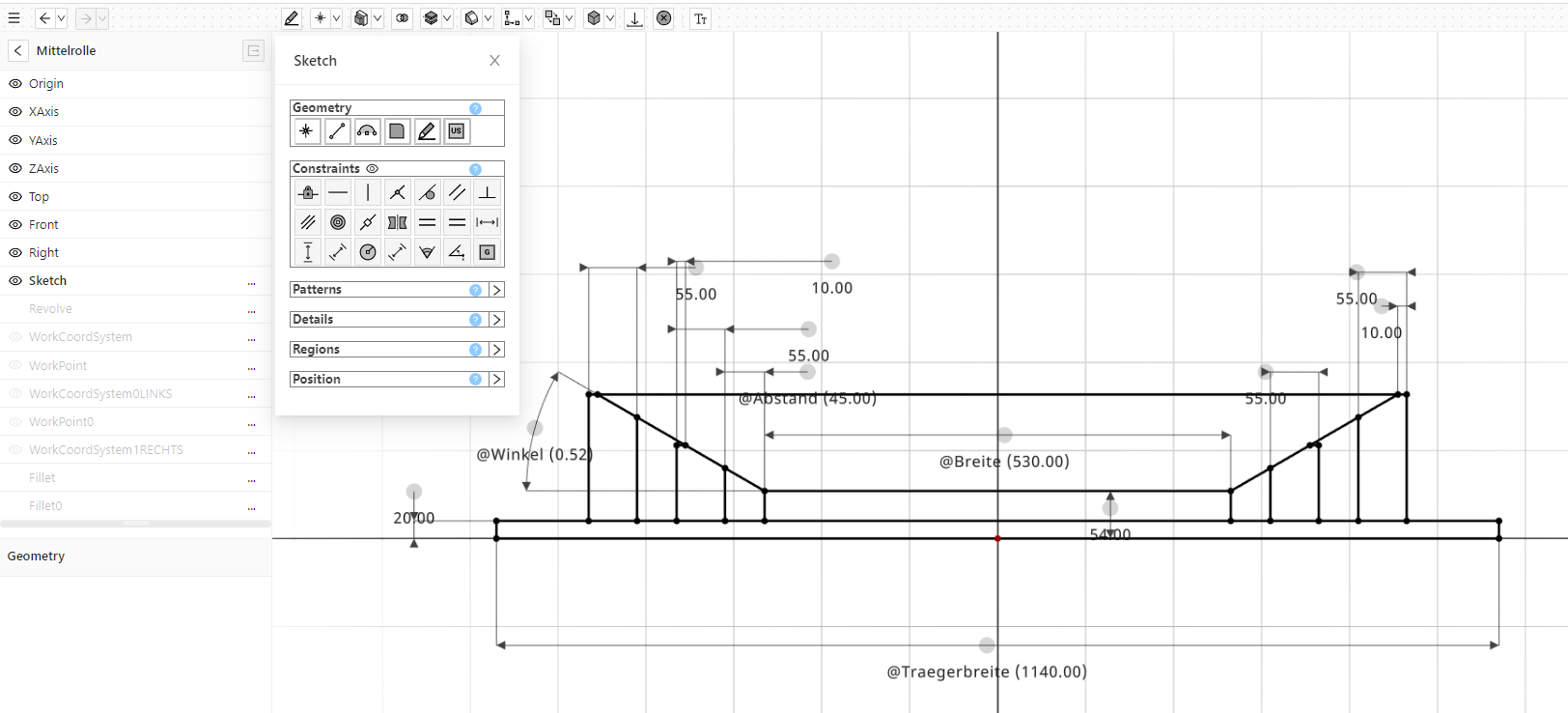
Constrain a profile, then give its dimensions names. A name can drive another, and changing one reshapes everything built from it, the solid included.
@Breite530width@Traegerbreite1140carrier width@Abstand45distance@Winkel0.52angle
02Assemble
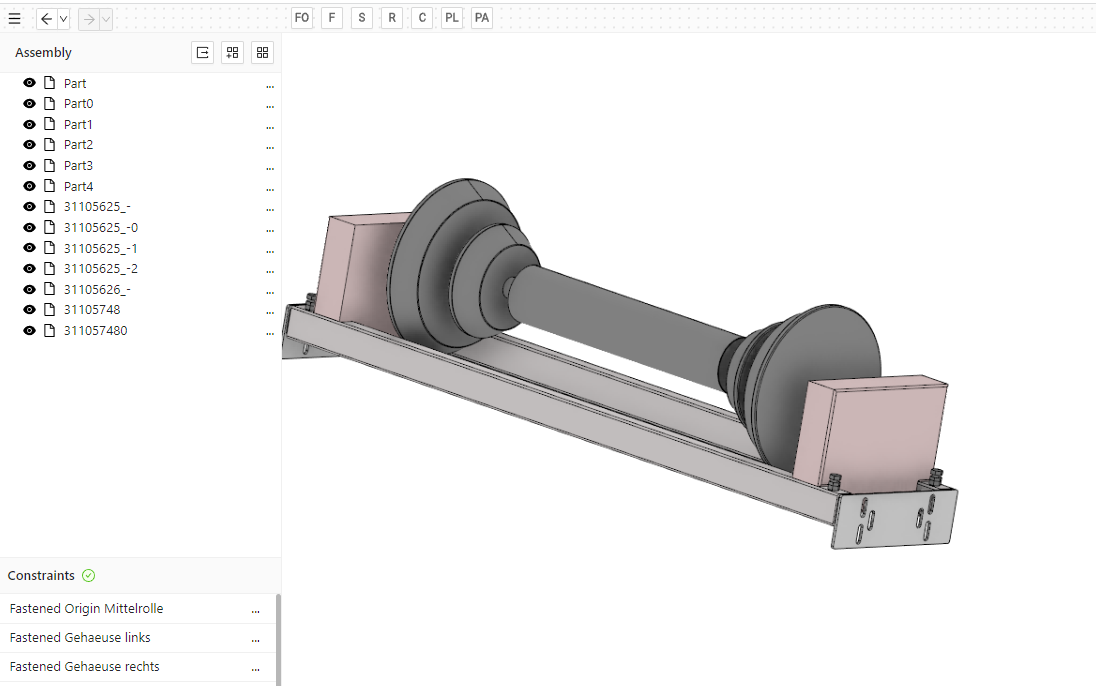
Put parts together with 3D constraints, give a joint its limits, and drag it: the assembly moves the way the real thing would.
- Fastened
- Slider
- Revolute
- Cylindrical
- Planar
- Parallel
- Spherical
- Gear
03Showcases
Real models, each a click from the editor. Hover to watch; click to take it apart yourself.
04Files
Open what other CAD systems write; save what they read. And where Buerligons stops today, it says so.
Opens
.ofb.stp.step.iwp
Saves
ofbstpstl
Not yet
2D drawings, sweeps, SAT and IGES. Phones get a viewer, not the editor.
05Start
A new part
An empty part, the sketcher and every feature, in a new tab.
An assembly
Bring parts in, constrain them, and move them.
Your own file
An .ofb, a STEP or an IWP from your disk, opened right in the browser.
Read the docsSketchingExpressions3D constraintsCommercial use